The previous post introduced the architecture of Neutron; the next two posts will continue by introducing some of Neutron's concepts and terminology.
Contents
Neutron Concepts
Neutron allows users to create networks and subnets, and connect virtual devices from other OpenStack services (such as Compute) to ports on these networks—most commonly connecting instances to a network. Neutron supports multiple private networks per project and allows projects to choose their own IP addressing schemes, even if those IP addresses overlap with those used by other projects. There are two types of networks: provider networks and self-service networks, both of which can be shared between projects.
Provider Networks
Provider networks provide L2 network connectivity for instances and support DHCP and metadata services. These networks connect to existing L2 networks in the data center, typically using VLAN (802.1q) tagging for identification and isolation.
Provider networks typically offer simplicity, performance, and reliability at the cost of flexibility. By default, only administrators can create or update provider networks because their configuration must match the actual physical network infrastructure, information that general users typically do not have.
Additionally, provider networks only handle L2 connectivity for instances, so they do not support features like Neutron routers or floating IP addresses.
Routed Provider Networks
Routed provider networks are similar to standard provider networks, but they can map networks to different L3 networks within the data center, known as network segments. Each network segment is essentially a provider network with its own independent L3 gateway for communicating with external networks.
In my experience, this model is less common; it is typically considered only when spanning multiple racks or L2 networks.
Self-service Networks
Self-service networks are somewhat similar to VPCs on AWS, allowing users to manage their own networks without administrator intervention. These networks are entirely virtual and require routing via virtual routers to external networks provided by the provider.
In most cases, self-service networks use tunneling protocols like VXLAN, GRE, or GENEVE to create overlay networks. These support more segments than VLAN tagging (802.1q), and VLANs often require additional physical network configuration.
Users can create their own networks within their projects. By default, these are completely isolated and not shared with other projects (with the exception of Flat networks). OpenStack Networking supports the following types of network isolation and overlay technologies.
Flat
All instances are on the same L2 network and can also be shared with the host. There is no VLAN tagging or other network isolation.
VLAN
The network allows users to create multiple provider or project networks using VLAN IDs (802.1Q tagging) that correspond to VLANs existing in the physical network. This enables instances to communicate with each other across the environment. They can also communicate with other servers, firewalls, and network infrastructure on the same L2 VLAN.
GRE, VXLAN, GENEVE
VXLAN, GRE, and GENEVE are encapsulation protocols that create overlay networks to manage communication between different compute instances. A virtual router is required for compute instances in a project network to communicate externally; this also requires the router to connect the project network to external networks (including the Internet). OpenStack Neutron's virtual routers also provide floating IP addresses via DNAT, allowing instances to be accessed from external networks.
Project Overlay Network Diagram:
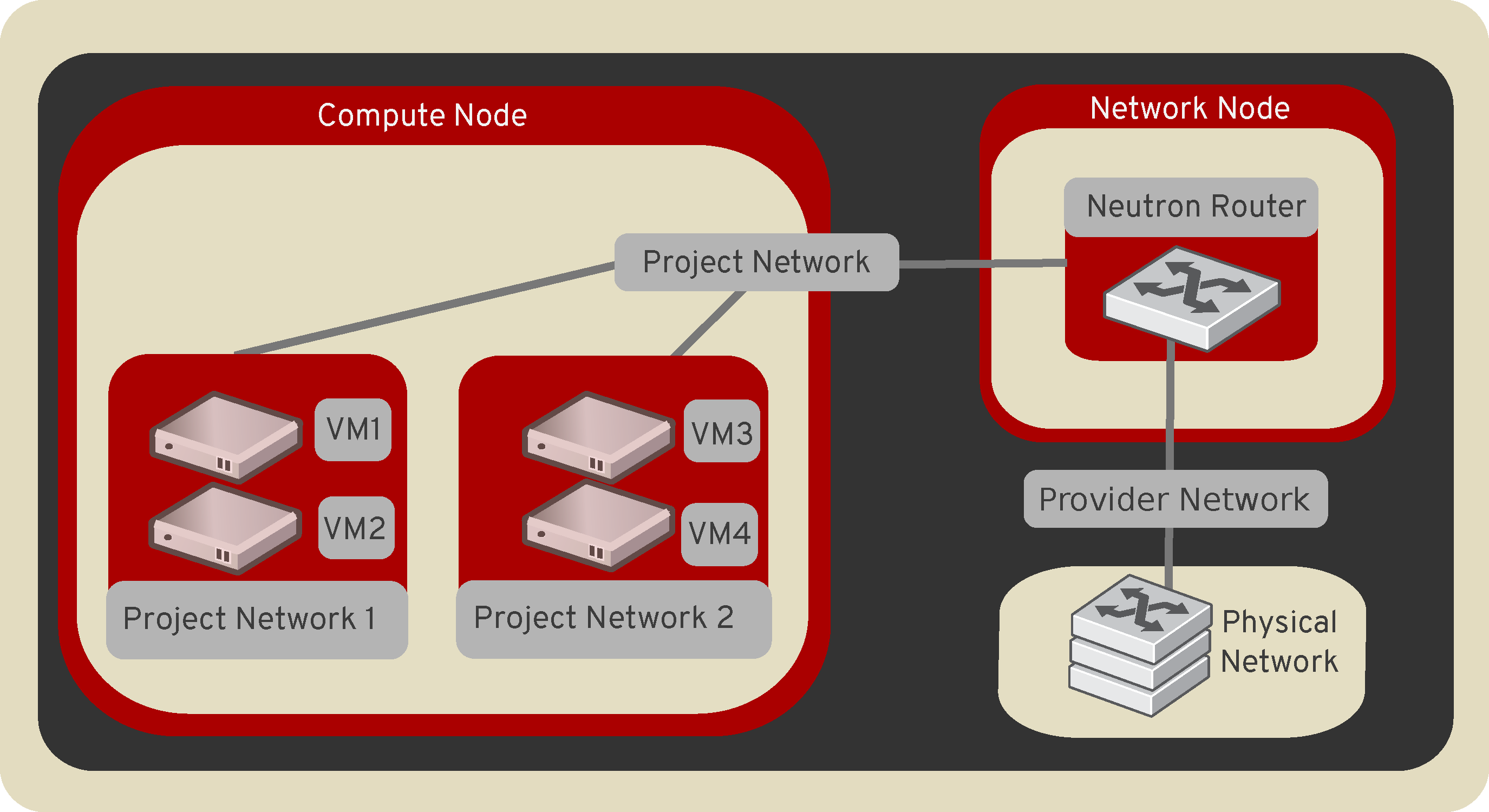
These are the three network types in Neutron.
Summary
This article introduced the three network types in Neutron. The next one will cover the remaining Neutron concepts and terminology, such as Subnets, Routers, and so on.
Copyright Notice: All articles on this blog are licensed under CC BY-NC-SA 4.0 unless otherwise specified.

