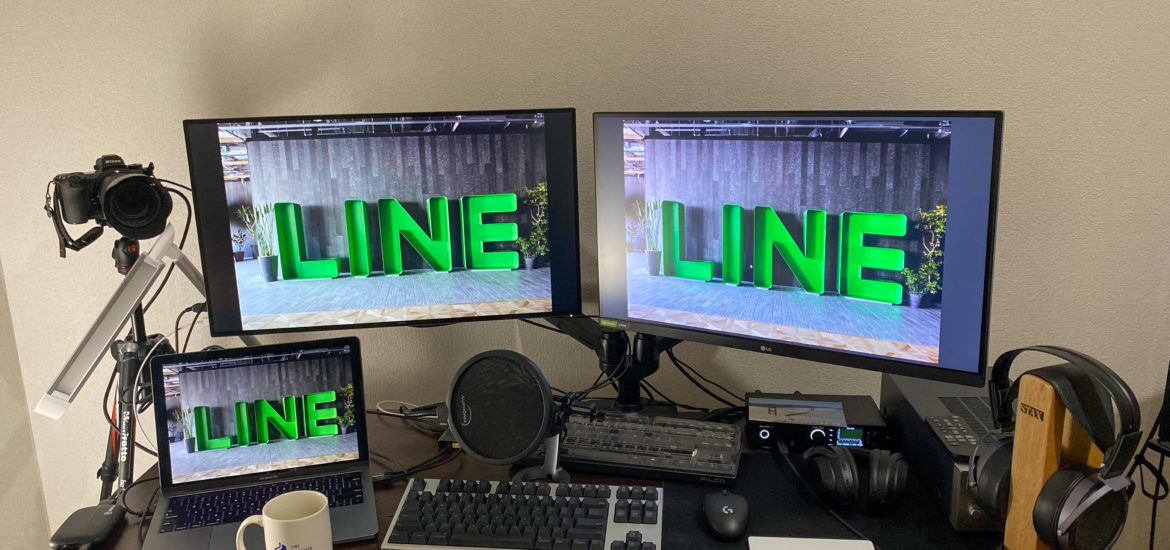
Recently, due to the pandemic, more and more companies have adopted a work-from-home model. LINE Japan, where I work, has also implemented remote work since late February. Because of this, I've gradually purchased various equipment to create a better work environment and boost my productivity. This article will introduce the equipment I use and my experience with it, serving as a reference for readers who need to work from home for various reasons.
Contents
Article Outline
This post will categorize the equipment into four main types:
- Computing Gear
- Video Conferencing
- Entertainment
- Miscellaneous
Some of the equipment was purchased purely out of personal interest and might not be necessary for a typical home office. I will also provide brief introductions to alternative options throughout the text.
Computing Gear
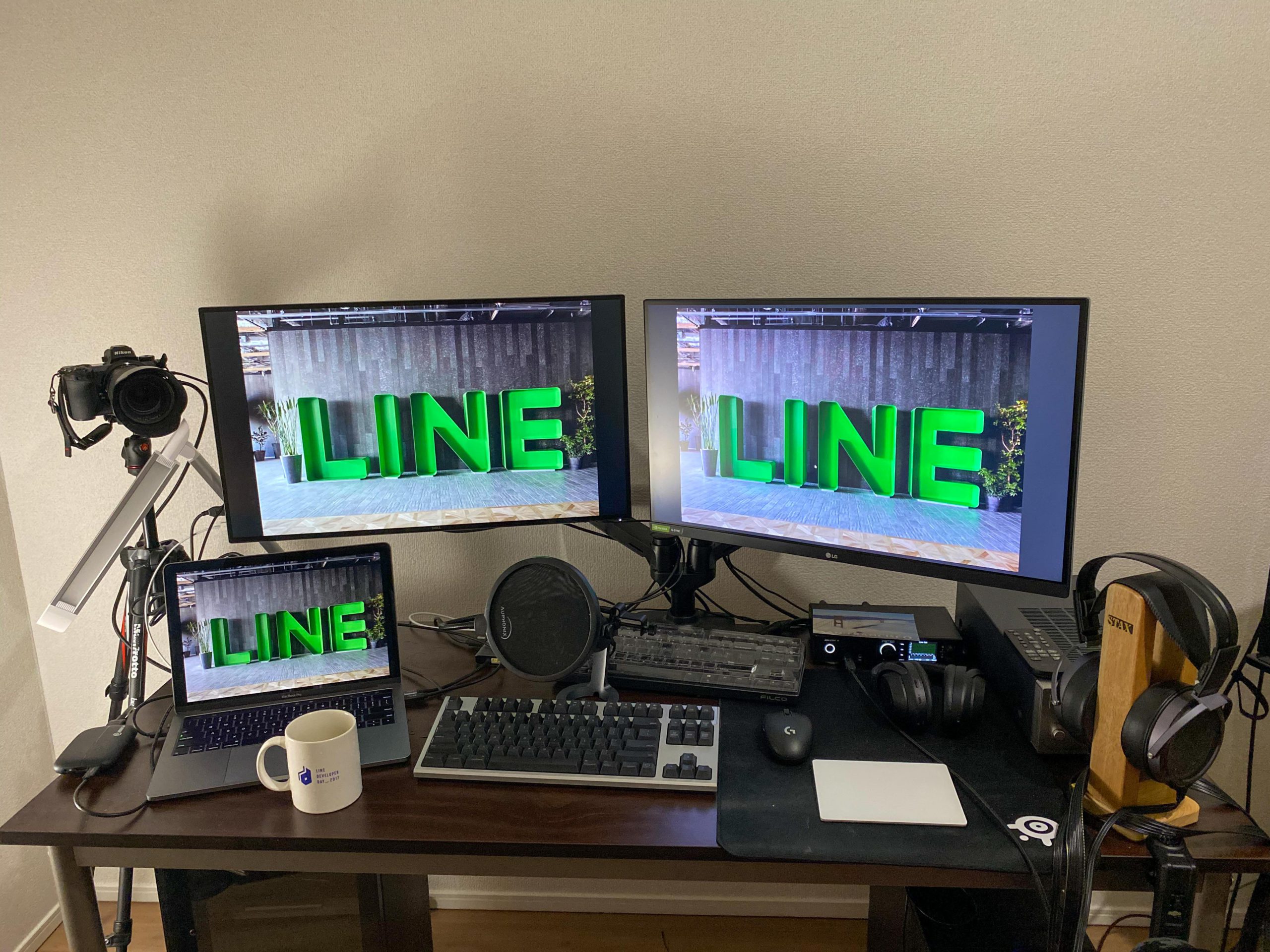
Equipment Used:
- MacBook Pro 13-inch
- Dell U2718Q 4K Monitor
- LG 27GL850-B QHD Monitor
- Amazon Basics Monitor Stand
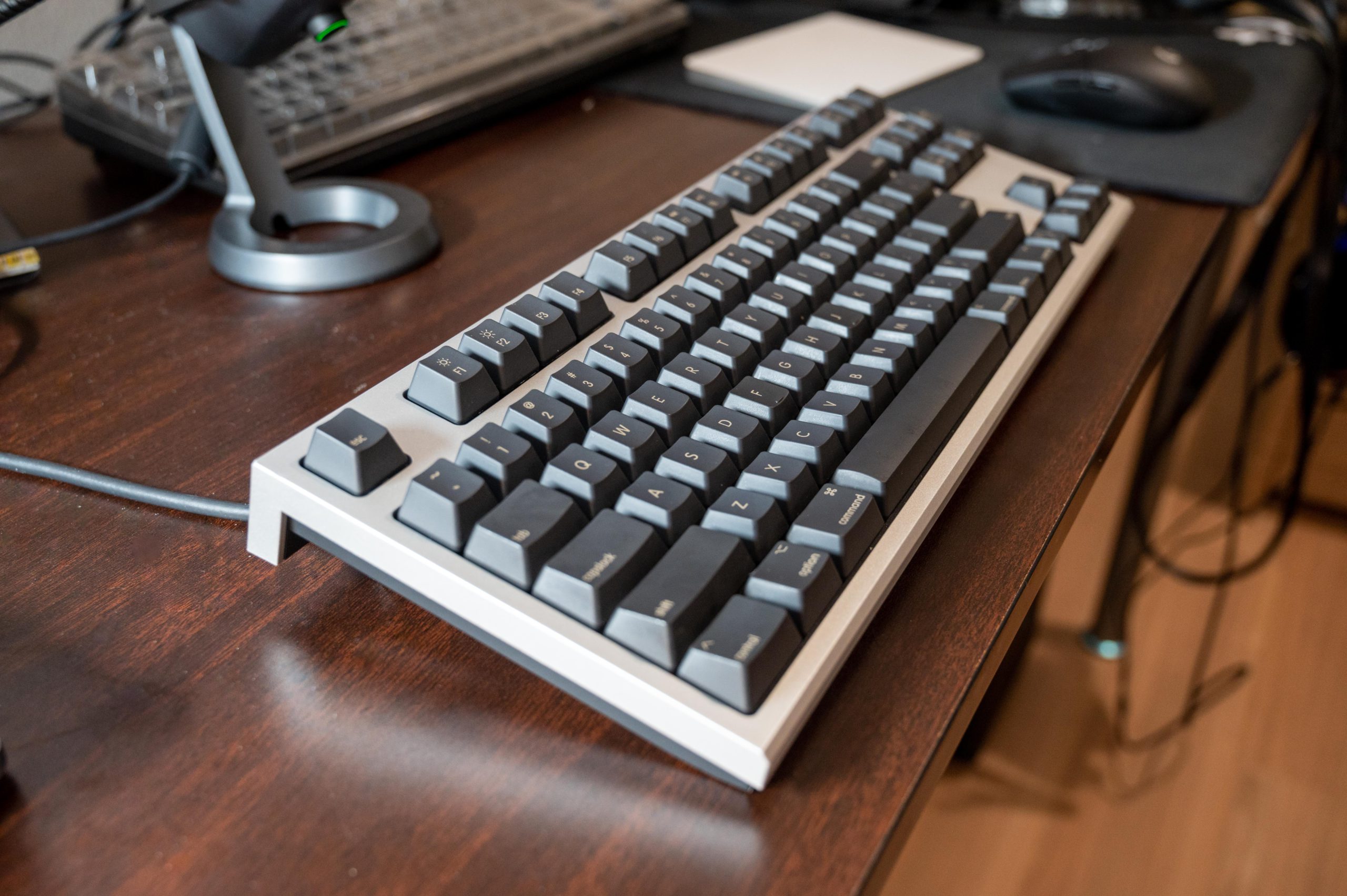
- Realforce for Mac 87-key Keyboard
Laptop or Desktop
A good laptop or desktop computer can significantly increase productivity. For a software engineer in particular, a high-performance computer can save a lot of time during testing or compilation.
I use a company-issued 13-inch MacBook Pro. It's quite sufficient for coding, as most of my compilation and testing are done in the cloud, so performance issues aren't a major concern.
Of course, Macs are a bit pricey. If your company provides a laptop, there's no need to buy another one. If you're buying your own, a laptop or desktop with an SSD costing around 20,000 TWD is actually sufficient for general use.
Monitors
One or two large monitors are essential for an engineer. Usually, having one screen for code and another for reference materials eliminates the need for constant switching, which boosts efficiency. I personally prefer 27-inch monitors, but the size can be chosen based on personal preference and the physical constraints of your desk depth.
Currently, I use a Dell U2718Q and an LG 27GL850-B at home. I chose the former for Dell's warranty and the 4K IPS panel. The latter is primarily for gaming, so I went with a 2K 144Hz IPS display; another reason is that this model is relatively affordable in Japan.
There are many monitor options available, and you can find plenty of reviews online. If you don't have specific requirements for color accuracy, you can generally choose based on price, size, resolution, and panel type. I personally recommend a 27-inch 4K IPS monitor. Prices range from around 6,000 TWD to tens of thousands. More expensive models usually feature panels with better color accuracy and more features, so the choice depends on your specific needs and budget.
Monitor Arms
A desk can feel a bit crowded with two monitors and a laptop. A good monitor arm can free up desk space and keep things tidy. These arms clamp to the edge of the desk and allow you to freely adjust the angle and orientation. Engineers often need to rotate their screens to a vertical orientation when reading code, and a monitor arm makes these adjustments effortless.
I use an Amazon Basics dual monitor stand purchased from Amazon Japan. I haven't researched monitor arms extensively, so I can't offer recommendations for other brands.
Keyboards
Keyboard choice is quite subjective. Most engineers I know prefer using an external mechanical keyboard for better tactile feedback and durability. Some even buy custom keycaps to add a personal touch.
I currently use a Realforce for Mac electrostatic capacitive keyboard. It's a bit expensive, but the typing experience is excellent. Many of my colleagues and friends also use Realforce or HHKB electrostatic capacitive keyboards. There are also many options for standard mechanical keyboards; I recommend trying out different switch types in person to see which tactile feel you prefer before making a decision.
Video Conferencing
- Nikon Z6
- Elgato HD60S+
- Blue Yeti Nano
- Sony WH-1000XM3
Webcams
My team usually keeps our cameras on during video calls. This allows us to see everyone's reactions, which encourages discussion and feedback, making it feel more like a regular office meeting. After working from home for over two months, I personally feel that keeping the camera on during meetings has a positive effect.
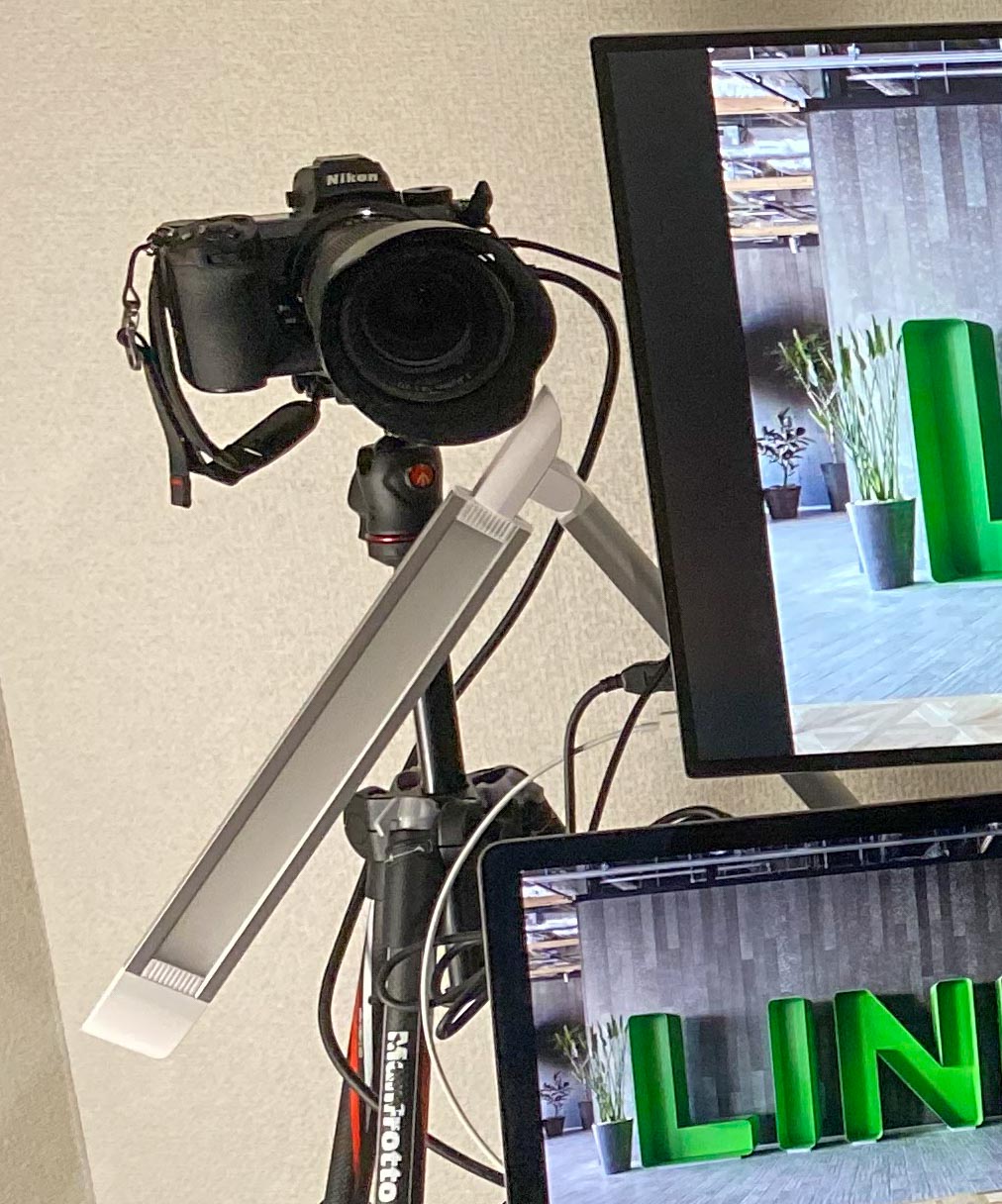
For my webcam setup, I use a Nikon Z6 with HDMI output to an Elgato HD60S+ capture card, which functions as a USB webcam. If you have a Canon camera, you might want to try this: Canon Webcam Utility You can directly connect a Canon camera via USB to use it as a webcam.
Of course, you don't actually need such a high-end webcam; an affordable Logitech USB webcam can produce great results, or you can just use your laptop's built-in camera. Lighting is more important—try to avoid having a light source directly behind you to prevent backlighting. Using a desk lamp or other lighting equipment to illuminate your face from the front can yield surprisingly good results.
The desk lamp I use for lighting:
Microphone
During video conferences, audio is definitely more important than video. It's okay if you don't turn on your camera, but you can't stay silent throughout the whole meeting, right? Using a cheap or poor-quality microphone can cause various noises while you speak, or even make your voice sound choppy due to environmental interference. This significantly reduces meeting efficiency and can be very frustrating for other participants to listen to.
I use a Blue Yeti Nano with a pop filter for my microphone. Blue microphones are well-regarded in the streaming community. For a more budget-friendly option, the Snowball iCE is a great choice with decent performance. Even more affordable is the Audio-Technica AT9933USB, which is also a viable option. While you can use your laptop's built-in microphone, the quality won't be as good as a dedicated USB microphone.
Headphones
Wearing headphones during meetings helps reduce echo caused by the microphone picking up sound from the speakers. I use the Sony WH-1000XM3, which is convenient as it connects directly to my laptop via Bluetooth. Of course, standard earphones that come with smartphones are usually sufficient, and most people likely already have a pair they can use.
Entertainment
- RME ADI-2 FS DAC
- Stax SRM-727A Amplifier
- Stax SR-009BK Electrostatic Headphones
Entertainment-related equipment isn't the focus of this article, but since they happened to be on my desk, I've listed them as well.
I also posted an unboxing article about related equipment last month; feel free to check it out if you're interested: Stax SR-009BK/SRM-727A Unboxing
Miscellaneous
- Okamura Village VC2 Chair
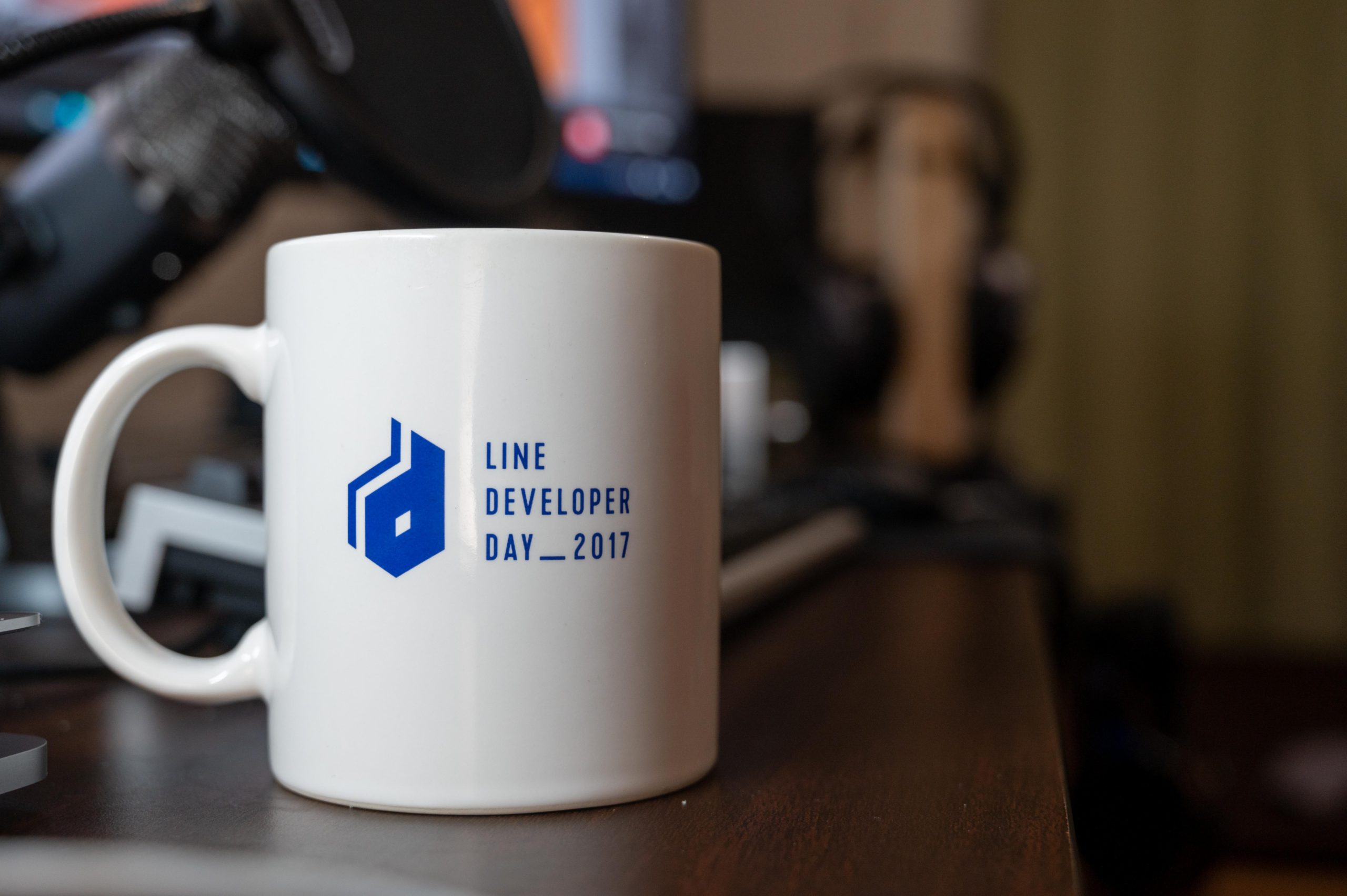
- LINE Developer Day 2017 Mug
The mug is an old company giveaway that I got for free; it's perfect for having some tea when I'm thirsty.
Chair
A good chair and proper posture provide support, reduce neck issues, alleviate back pain, and minimize hip pressure, making your sitting experience much more comfortable. It's a worthwhile long-term investment, as health is the most important thing.
My company uses Herman Miller Aeron chairs, which are very well-known ergonomic chairs, but they are quite expensive... Due to budget constraints, I currently use an Okamura Village VC2 at home. It's comfortable enough, and I might consider a Herman Miller once I've saved up enough money. Since everyone has a different body type, I recommend trying out chairs in person if possible. Additionally, I suggest avoiding sitting for too long; getting up to walk around and stretch every hour can also boost your productivity.
Conclusion
I've always been someone who strives for excellence in everything I do, so this home office setup gradually came together over time. Of course, these weren't just impulse buys; they all contribute to my productivity in some way. I use them daily, and quite a few are items I already owned and repurposed for this setup.Proactive SetupMany of the devices I'm featuring here might actually be considered overkill, but there are plenty of more affordable alternatives available that can achieve the same goal of boosting your efficiency.
A photo of the entire desk:
Copyright Notice: All articles on this blog are licensed under CC BY-NC-SA 4.0 unless otherwise specified.

